If you’re using the DEWALT 20V MAX Cordless Drill Driver Set regularly, maintaining its performance is essential. Over time, tools can encounter issues such as reduced battery life, motor problems, or operational glitches. This comprehensive guide provides practical, safe, and effective troubleshooting steps and care tips to keep your DEWALT drill in top shape. Whether you’re a DIY enthusiast or a professional, following these steps will help you diagnose problems quickly and perform basic maintenance to extend your tool’s lifespan.

Get business pricing on garage and car supplies
- Business-only prices and quantity discounts
- Tax-exempt purchasing
- Multiple users, one account, clear invoices
Remember, safety is paramount. Always disconnect the battery before performing any maintenance or troubleshooting. When in doubt, consult DEWALT customer service or a qualified technician.
Key Takeaways
| Battery Care | Proper charging and storage extend battery life. |
| Performance Troubleshooting | Identify motor or switch issues early. |
| Cleaning & Maintenance | Keep vents and moving parts clean for smooth operation. |
| Component Inspection | Regularly check for wear or damage to parts. |
| Safety Precautions | Always disconnect power before service or inspection. |
Battery Maintenance and Troubleshooting
- Ensure your battery is fully charged using the recommended DEWALT charger. Check the LED indicator for charge status.
- If the battery appears to not hold a charge, try a different compatible battery to rule out the battery as the issue.
- Inspect the battery contacts for dirt, corrosion, or debris. Clean gently with a dry cloth if needed.
- Store batteries in a cool, dry place away from direct sunlight and extreme temperatures to prevent capacity loss.
- When storing for an extended period, keep the battery partially charged (around 50%) and avoid fully discharging or overcharging.
Regularly inspecting and caring for your batteries ensures longer runtime and better tool performance.
Motor and Drive Mechanism Troubleshooting
- When the drill is not spinning, first confirm the battery is fully charged and properly seated.
- Listen for unusual noises or vibrations, which may indicate motor or gear issues.
- Remove the chuck and inspect for debris or damage. Clean or replace if necessary.
- If the motor runs but the drill does not spin, check the trigger switch for proper operation.
- For persistent issues, contact DEWALT service or a qualified technician to check internal components.
Addressing motor and gear problems early can prevent further damage and costly repairs.
Cleaning and General Maintenance
- Regularly clean the exterior of your drill with a dry cloth to remove dust and debris.
- Use compressed air to blow out vents and internal openings, preventing overheating and ensuring proper airflow.
- Lubricate moving parts, such as the chuck, with light machine oil if recommended by DEWALT.
- Check the LED light for proper operation and clean the lens gently with a soft cloth.
- Inspect the power cord (if corded) or battery contacts periodically for wear or damage.
Consistent cleaning and maintenance help keep your drill operating smoothly and extend its lifespan.
Chuck and Bit Compatibility Checks
- Ensure the drill’s single-sleeve ratcheting chuck is free of debris and tightly securing bits.
- Use compatible DEWALT drill bits, such as the 14-piece Black & Gold Metal Drill Bits, for optimal performance.
- Replace worn or damaged bits promptly to prevent slipping or uneven drilling.
- When changing bits, disconnect the battery, loosen the chuck, insert the new bit, and tighten securely.
- Verify that the bit shank is properly seated and that the chuck is fully tightened before use.
Proper bit compatibility and secure fitting are crucial for safety and efficiency during operation.
Safety Tips and Precautions During Maintenance
- Always disconnect the battery before performing any cleaning, repair, or inspection tasks.
- Wear safety glasses and gloves to protect against debris or accidental injury.
- Work in a well-ventilated area, especially if cleaning with compressed air or lubricants.
- Follow manufacturer instructions for maintenance procedures and part replacements.
- If you notice persistent problems or internal damage, seek professional repair services.
Prioritizing safety ensures your maintenance routines are effective and accident-free.
The Products in This Guide

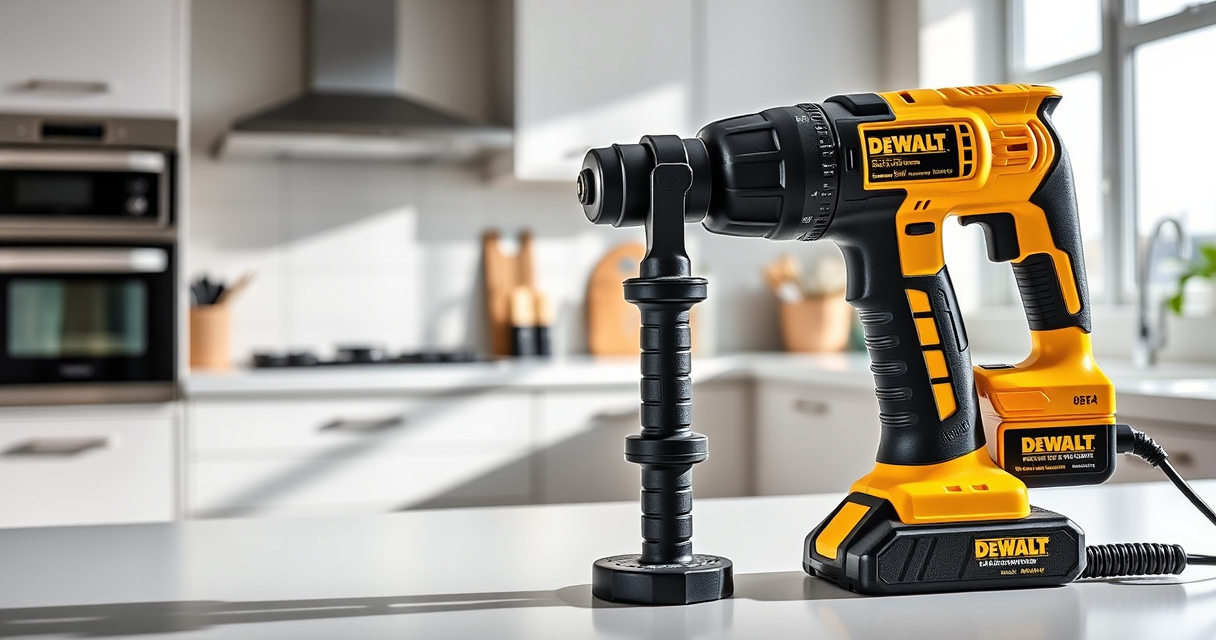
DEWALT 20V MAX Cordless Drill Driver Set
- ✔ Voltage: 20V MAX
- ✔ Trigger Delay: 20 seconds
- ✔ Tool Length: 7.6 inches

DEWALT Drill Bit Set
- ✔ Number of Bits: 14
- ✔ Tip Angle: 135°
- ✔ Shank Type: 3-Flats
DEWALT 20V MAX Cordless Drill Driver Set
The DEWALT 20V MAX Cordless Drill Driver Set is a versatile, powerful tool with a brushless motor designed for durability and efficiency. Regular maintenance and troubleshooting can help you get the most out of this compact and lightweight drill, ensuring it performs reliably for years to come.
Pros:
- Brushless motor for longer run time
- Compact and lightweight design
- LED light for visibility
- 2-speed transmission for versatility
Cons:
- Battery life may diminish over time
- Chuck can wear with frequent use
- Internal components may require professional repair
Best for: General-purpose drilling and fastening in tight spaces
Not ideal for: Heavy-duty industrial applications requiring more power
Bottom line: A dependable, easy-to-maintain drill perfect for a wide range of tasks.
DEWALT Drill Bit Set
Complement your DEWALT drill with this 14-piece Black & Gold Metal Drill Bit Set, designed for durability and precision across various materials. Its split point tip helps reduce walking, making it ideal for both professional and DIY projects.
Pros:
- High speed steel construction
- Split point for clean starts
- Corrosion-resistant coating
- Wide range of sizes
Cons:
- Limited to metal, wood, and plastic
- Requires compatible chuck
- May need additional bits for specialized tasks
Best for: Drilling into metal, wood, and plastic with precision
Not ideal for: Heavy-duty industrial drilling or masonry
Bottom line: A reliable drill bit set that enhances your drilling accuracy and durability.
Frequently Asked Questions
How do I reset the battery indicator on my DEWALT drill?
The battery indicator is typically reset automatically after a full charge cycle. If it doesn’t update, remove the battery, wait a few seconds, then reinsert it and charge fully.
Why is my drill not turning on even with a charged battery?
Check that the battery is properly seated and the trigger switch functions correctly. If the switch is stuck or damaged, it may need professional repair.
Can I use any drill bit with my DEWALT drill?
Use drill bits compatible with a 1/2 inch chuck and suitable for your application. For best results, choose DEWALT bits designed for metal, wood, or plastic as needed.
What should I do if my drill overheats?
Allow the drill to cool down, disconnect the battery, and clean any vents or internal parts if accessible. Avoid continuous operation to prevent overheating.
How often should I lubricate the chuck?
Lubricate the chuck lightly every few months or if it becomes difficult to tighten or loosen. Use light machine oil and wipe away excess.
Keep Your DEWALT Drill in Peak Condition
Routine maintenance and prompt troubleshooting are key to ensuring your DEWALT 20V MAX Cordless Drill Driver Set remains reliable and efficient. By following these practical steps, you can extend the life of your tool, prevent common issues, and perform projects smoothly. Remember to prioritize safety during all maintenance tasks, and don’t hesitate to seek professional help if needed. A well-maintained drill is a valuable investment that pays off in long-term performance.
Affiliate disclosure: As an Amazon Associate we earn from qualifying purchases. Prices and availability are accurate as of the time of publishing.
Fall Picks
fall essentials
As an affiliate, we earn on qualifying purchases.