
If your DEWALT power tool isn’t charging properly, it can halt your workflow and cause frustration. Fortunately, most charging issues are fixable with some simple troubleshooting steps. This guide provides practical, safe methods to identify and resolve common battery charging problems for your DEWALT tools.
Before starting, ensure you’re working in a safe environment and using compatible DEWALT batteries and chargers. Always follow safety precautions to prevent injury or damage.
Key Takeaways
| Battery health | Ensure the battery isn’t old or damaged, which can affect charging. |
| Charger compatibility | Use a compatible charger and check for any damage or debris. |
| Connections | Inspect battery and charger contacts for dirt or corrosion. |
| Charging cycle | Sometimes, batteries need a reset or a full discharge/charge cycle. |
| Battery temperature | Avoid charging batteries in extreme heat or cold. |

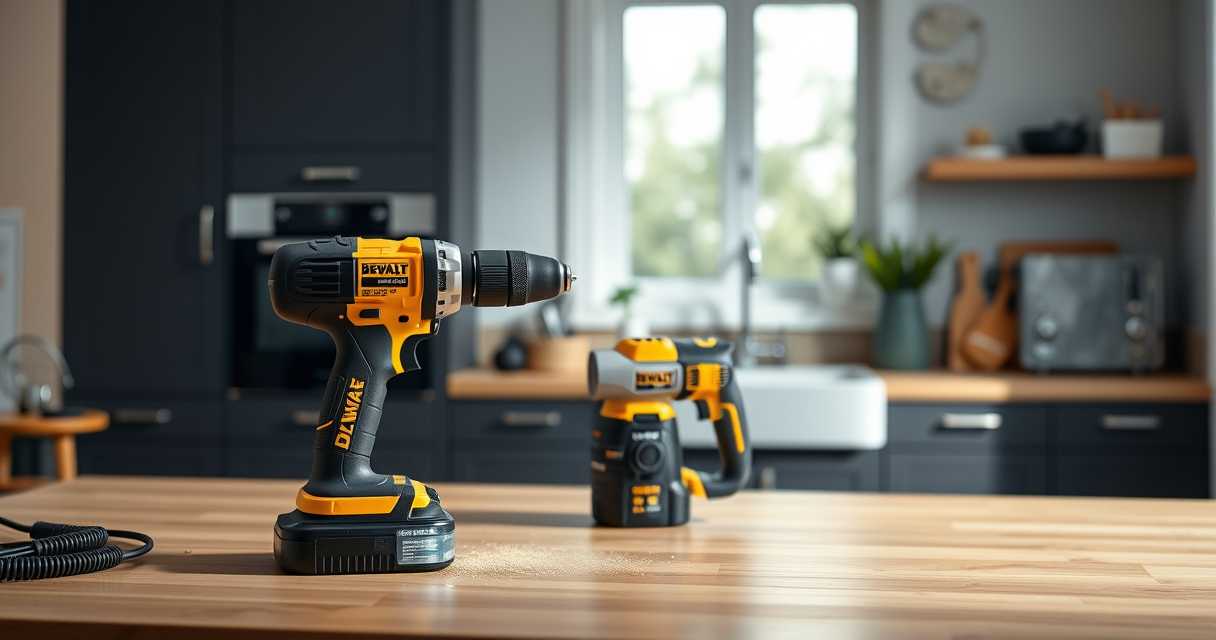
DEWALT 20V MAX Cordless Drill Driver Set, Electric Drill, Brushless 1/2 In 2 Speed, 2.0 Ah Battery and Charger Included, LED Light (DCD777D1)
- Motor Type: Brushless motor for longer run time
- Size: Compact 7.6-inch design
- Design: Lightweight for easy handling
As an affiliate, we earn on qualifying purchases.
Step 1: Inspect the Battery and Charger
- Remove the battery from the tool and examine it for any visible damage, swelling, or corrosion.
- Check the charger for any cracks, loose parts, or debris in the charging port.
- Ensure you are using the correct charger model compatible with your battery (e.g., DCB205-2 for 20V MAX 5Ah batteries).

DEWALT Drill Bit Set, 3-Flats Shank,14-Piece, 135 Degree Split Point, for Plastic, Wood and Metal (DWA1184)
- Tip Design: 135° Split Point to Reduce Walking
- Material: High-Speed Steel for Versatility
- Durability: Tapered Web for Strength and Breakage Resistance
As an affiliate, we earn on qualifying purchases.
Step 2: Clean Contacts and Reconnect
- Use a dry cloth or a soft-bristled brush to gently clean the metal contacts on both the battery and charger.
- Ensure contacts are dry and free of dirt or corrosion.
- Reconnect the battery to the charger securely and observe the charging indicator.
Step 3: Reset and Test the Battery
- If your battery has a simple reset function, follow manufacturer instructions (usually by removing and reinserting the battery).
- Try charging the battery in a different outlet or location to rule out power issues.
- If the battery still does not charge, attempt a full discharge and recharge cycle: use the battery until it depletes, then recharge fully.
Step 4: Test with a Known Good Battery or Charger
- If available, test your battery with a different compatible charger, or try charging a known good battery with your current charger.
- This helps identify whether the issue is with the battery or the charger.
Step 5: Replace or Seek Professional Help
If your battery remains uncharged after these steps, it may be defective or at the end of its lifespan. Consider replacing the battery or charger. For persistent issues, contact DEWALT customer support or a qualified repair technician.
The Products in This Guide

DEWALT 20V MAX Cordless Drill Driver Set
- ✔ Runtime: Long-lasting with 2.0 Ah battery
- ✔ Warranty: 3 years
- ✔ Size: 7.6 inches front to back

DEWALT Drill Bit Set
- ✔ Compatibility: Metal, wood, plastic
- ✔ Color: Black and gold
- ✔ Web Design: Tapered for strength
DEWALT 20V MAX Cordless Drill Driver Set
The DEWALT 20V MAX Cordless Drill Driver Set is a versatile tool designed for various tasks. When facing charging issues, troubleshooting battery and charger connections can often resolve the problem, ensuring your drill is ready when needed.
Pros:
- Brushless motor for longer runtime
- Includes 2.0 Ah battery and charger
- Compact, lightweight design
- LED light for visibility
Cons:
- Battery may wear out over time
- Charger can malfunction if damaged
- Limited to 20V MAX system
Best for: DIYers and professionals needing reliable cordless power
Not ideal for: Heavy-duty industrial applications requiring higher capacity
Bottom line: A dependable cordless drill set with durable battery life, perfect for varied tasks.
DEWALT Drill Bit Set
Complement your DEWALT drill with this 14-piece drill bit set featuring high-speed steel and a 135-degree split point, ideal for various materials including plastic, wood, and metal.
Pros:
- Durable High-Speed Steel
- Split point reduces walking
- Color-coded for easy size identification
- Corrosion-resistant coating
Cons:
- Limited number of bits
- Not suitable for heavy-duty industrial use
- Requires compatible chuck
Best for: Home improvement, DIY projects, hobbyists
Not ideal for: Heavy-duty professional metalwork
Bottom line: A reliable drill bit set that enhances drilling precision and durability.
Frequently Asked Questions
Why is my DEWALT battery not charging?
Common causes include dirty contacts, a faulty charger, or a worn-out battery. Follow the troubleshooting steps to identify the issue.
Can I use any charger with my DEWALT battery?
No, use only chargers compatible with your specific DEWALT battery model to ensure safety and proper charging.
How do I reset my DEWALT battery?
Some DEWALT batteries have built-in reset functions. Usually, removing the battery from the charger, waiting a few minutes, and then reconnecting can help reset the system.
What should I do if my battery still doesn’t charge after troubleshooting?
If issues persist, the battery or charger may need replacement. Contact DEWALT support or a professional technician for assistance.
Getting Your DEWALT Power Tool Charging Again
By following these practical troubleshooting steps, you can often resolve common charging issues with your DEWALT power tools. Regular maintenance, such as cleaning contacts and checking for damage, can extend your battery’s lifespan and ensure reliable performance. If problems continue, replacing worn-out batteries or chargers may be necessary to keep your projects moving smoothly.
Affiliate disclosure: As an Amazon Associate we earn from qualifying purchases. Prices and availability are accurate as of the time of publishing.