
TL;DR
Building a custom AI workstation used to be cheaper, but in 2026, prebuilt systems often match or beat DIY costs due to component shortages and bulk buying. The decision now depends on your need for speed, control, and specific customization.
Ever wonder if you should build your own AI workstation or just buy a prebuilt system? The answer used to be simple—build for control, buy for speed. But today, the lines have blurred, thanks to supply chain chaos and market shifts. Now, your choice hinges on more than just price; it’s about control, risk, and how fast you want to get to work.
In this article, I’ll walk you through the real costs, the pros and cons of each approach, and what you should consider based on your project’s needs. Whether you’re a hobbyist, a researcher, or a startup founder, understanding these factors will help you make the smartest move in 2026.
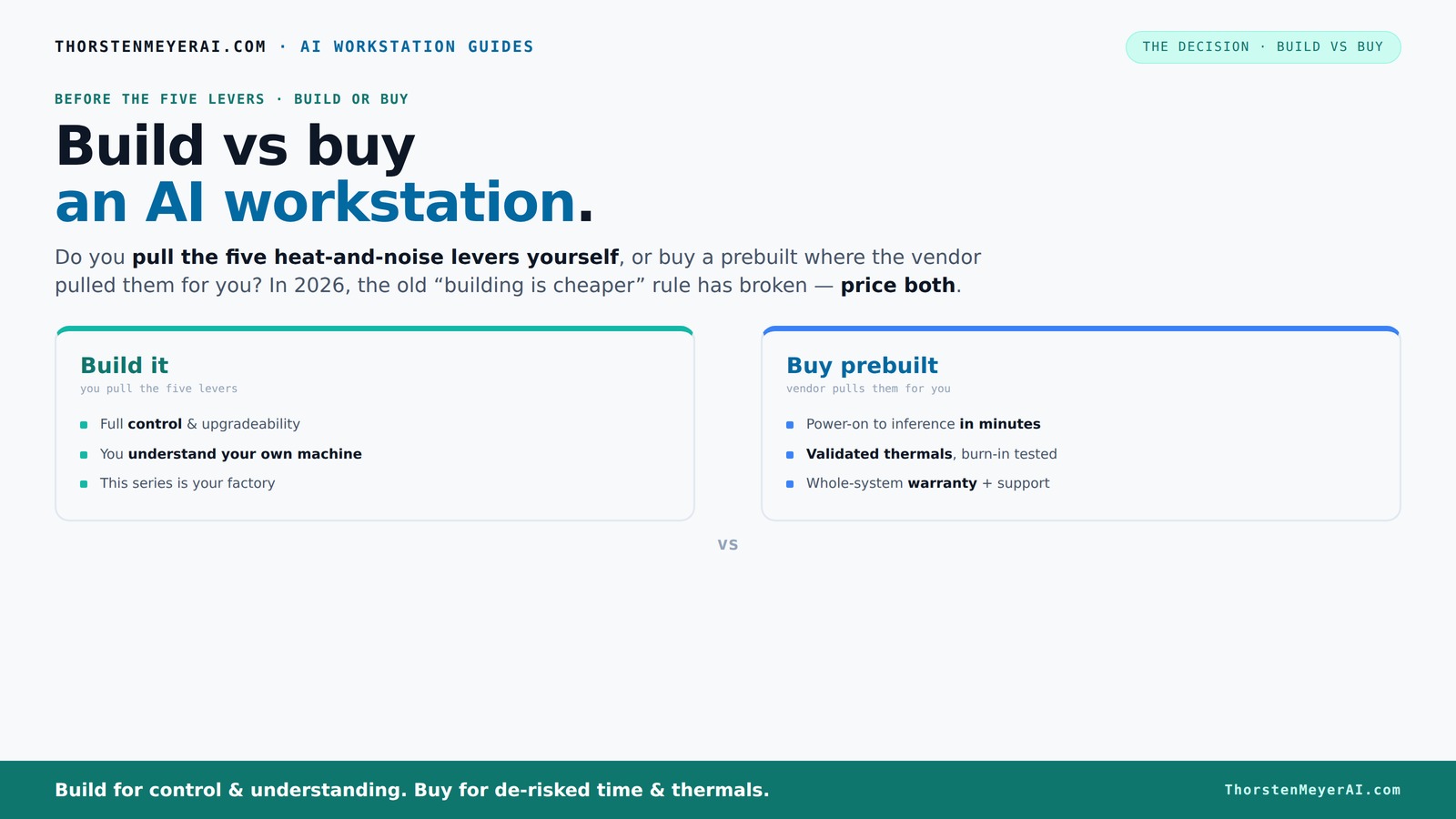
Build vs buy
an AI workstation.
The real question behind this whole series: do you pull the five heat-and-noise levers yourself, or buy a prebuilt where the vendor pulled them for you? And in 2026, the old “building is cheaper” rule has broken. Match your situation in Part 3.
Key Takeaways
- Component shortages in 2026 mean prebuilt systems often cost as much or less than DIY builds, especially for high-end AI workstations.
- Prebuilt vendors validate thermals and noise levels, reducing your setup time and operational risks.
- Building your own system gives maximum control but demands technical skill and ongoing maintenance.
- Hybrid approaches—buying base hardware and customizing workflows—offer flexible, fast solutions.
- Consider your project’s specific needs—speed, control, security—before choosing build or buy.

HP OMEN 16L 5060 Ti Gaming Tower, Intel Core i7-14700F, GeForce RTX 5060 Ti, 64GB DDR5, 4TB SSD, WiFi 6, RGB Lighting, RJ45, AI PC, DLSS 4, Workstation, Windows 11 Home, Keyboard Bundle
【High Speed RAM And Enormous Space】64GB DDR5 RAM to smoothly run multiple applications and browser tabs all at...
As an affiliate, we earn on qualifying purchases.
As an affiliate, we earn on qualifying purchases.
Why Building Your Own AI Workstation Is No Longer Always Cheaper
Building used to be the clear winner on price—assemble the parts, save a ton. But in 2026, the story changed. Component shortages, inflation, and bulk buying have driven prices up for GPUs, DDR5 RAM, and SSDs. A build that once cost under $1,000 now easily exceeds $1,250, sometimes more.
Meanwhile, major vendors like Lambda and Puget have secured bulk deals that let them offer systems at prices that are tough to beat. They include validated thermals, tested cooling, and warranties, all baked into the price. This flips the traditional wisdom: you can’t just assume DIY saves money anymore.
So, the real question isn’t just about cost—it's about what you value more: control and customization, or speed and reliability. And that’s where the discussion deepens.

NVD RTX PRO 6000 Blackwell Professional Workstation Edition Graphics Card for AI, Design, Simulation, Engineering - 96GB DDR7 ECC Memory - 4th Gen RT/5th Gen Tensor Core GPU - OEM Packaging
[NVIDIA Blackwell Streaming Multiprocessor] The new SM features increased processing throughput, and new neural shaders that integrate neural...
As an affiliate, we earn on qualifying purchases.
As an affiliate, we earn on qualifying purchases.
The 2026 Heat Map: Who Pulls the Levers for a Quiet, Cool AI Machine?
Controlling heat and noise is what makes a high-power AI workstation manageable. Pulling the five levers—undervolt GPU, match cooling, optimize airflow, tune fans, position the system—can turn a noisy, hot machine into a quiet, cool powerhouse.
When you buy a prebuilt, the vendor handles all this. They run extensive testing, fine-tune fan curves, and often include water-cooling options. These systems are validated for long, heavy workloads—no thermal throttling, no unexpected shutdowns.
If you build your own, you’re in charge. You pick a quiet GPU, undervolt it using guides like [this](https://thorstenmeyerai.com/undervolt-gpu-local-inference/), choose custom coolers and cases, and manually set airflow. It’s satisfying but requires technical skill—and ongoing maintenance.

/Modern GPU Programming with Rust and CUDA 13: Mastering Parallel Computing, GPU Acceleration, Memory Optimization, AI Systems, and High-Performance Application Development (Learning Express Series)
As an affiliate, we earn on qualifying purchases.
As an affiliate, we earn on qualifying purchases.
Cost Breakdown: Is a Prebuilt Cheaper Than Building in 2026?
| Aspect | Build | Buy Prebuilt |
|---|---|---|
| Up-front cost | Higher, due to labor, assembly, and testing | Usually lower and predictable |
| Time to deployment | Longer — can take weeks or months | Faster — often ready in days |
| Customization | Maximum, you choose every part | Limited, but often enough for most |
| Support & warranty | Own maintenance, troubleshooting | Vendor support, warranty included |
| Risk | Higher—more technical, operational | Lower—vendor handles issues |
Recent data shows prebuilt systems can match or beat DIY costs because of bulk discounts and component shortages. According to this, the total cost of ownership often favors prebuilt in 2026, especially when factoring in time and risk.

Acer Veriton AI Mini Workstation GN100-UD11 NVIDIA GB10 Grace Blackwell Superchip (20-core Arm: 10x Cortex-X925, 10x Cortex-A725)
Experience the raw power of the NVIDIA GB10 Grace Blackwell Superchip. Delivering 1 PFLOPS of FP4 AI performance,...
As an affiliate, we earn on qualifying purchases.
As an affiliate, we earn on qualifying purchases.
When Building Makes Sense: Hobbyists, Custom Needs, and Long-Term Control
If you enjoy the process, building your own AI workstation can be deeply satisfying. It’s best for hobbyists, students, or those with specific needs that off-the-shelf systems can’t meet. Want to tweak the cooling or try a unique GPU? Building gives you full control.
Plus, if your project requires sensitive data or strict compliance, building might be your best option. You can choose components that meet your security standards and avoid vendor lock-in. Just keep in mind, it’s a commitment—ongoing maintenance, troubleshooting, and upgrades are on you.
Check out guides like this to start: quiet GPU, undervolt, and cooling.
The Perfect Situations for Buying a Prebuilt System
If you need to get started fast, buying a prebuilt is often the best choice. It’s ideal for teams that want reliable, validated hardware with minimal fuss. Vendors like Lambda and Puget run extensive burn-in tests, tune for noise and heat, and include warranties that cover failures.
High-end, multi-GPU setups are especially tricky to build and manage. Vendors that specialize in these, like [Lambda](https://scale.com/guides/build-vs-buy), offer systems validated for long, heavy workloads—saving you time and headaches.
And if your project is more about deploying and less about tinkering, prebuilt is the quick path to inference and training readiness.
Hybrid Approach: The Best of Both Worlds
More teams are adopting a hybrid strategy: buy a solid base system, then customize the workflow or add specialized components. It’s a smart way to balance speed and control.
For example, you might buy a prebuilt with validated thermals and upgrade the GPU or storage afterward. This way, you get reliability without sacrificing flexibility. It’s especially useful for teams that want to stay agile without building from scratch.
Check out this guide for tips on customizing your system post-purchase.
Frequently Asked Questions
Is a prebuilt AI workstation powerful enough for my workload?
Most prebuilt systems today match high-end DIY rigs, especially from vendors like Lambda or Puget. They validate thermals and performance, so if you choose a system with the right GPU and specs, it’s often more than enough for training, inference, and development tasks.How much cheaper is buying than building over three years?
In 2026, due to component shortages and bulk buying, prebuilt systems often cost as much or less than DIY builds. Plus, they save you time and troubleshooting costs, which adds to overall savings. Real-world data shows that buying can reduce total ownership costs for many use cases.What hidden costs come with building a workstation?
Beyond parts, you’ll pay for your time, troubleshooting, thermal tuning, upgrades, and potential hardware failures. Ongoing maintenance and support can add up, especially if you’re not specialized in hardware management.Will a prebuilt system limit my future upgrades?
It depends. Many prebuilt systems allow upgrades like adding RAM or storage, but some limited configurations or proprietary components can restrict major upgrades. Always check the vendor’s upgrade policies before buying.How do I compare performance per dollar between build and buy?
Compare total costs, including parts, labor, and support, against performance benchmarks. Recent data suggests that in 2026, prebuilt systems often provide better performance per dollar, especially when factoring in time saved and reduced troubleshooting.Conclusion
In 2026, the decision to build or buy isn’t just about saving money—it's about what you want to control and how quickly you need results. If you prefer a reliable, validated system with minimal fuss, a prebuilt is often the smartest choice. But if customization, learning, and long-term control excite you, building remains a rewarding challenge.
Think about your project’s scope, your skill level, and your timeline. The right choice will depend on what’s most important to you—speed or mastery. Either way, the market now offers options that make this decision more nuanced—and more exciting—than ever before.