
If your DEWALT 20V MAX Cordless Drill and Impact Driver (DCK277D2) keeps overheating during use, it can be frustrating and may damage the tool if not addressed promptly. Overheating typically results from prolonged use, inadequate cooling, or a malfunctioning component. In this guide, you’ll learn how to troubleshoot and fix overheating issues safely, ensuring your tool remains reliable and long-lasting.

Get business pricing on garage and car supplies
- Business-only prices and quantity discounts
- Tax-exempt purchasing
- Multiple users, one account, clear invoices
Follow these clear, practical steps to identify the cause of overheating and implement effective solutions. Remember, safety always comes first—disconnect the tool from the battery before performing any maintenance or inspection.
Key Takeaways
| Overheating causes | Prolonged use, poor ventilation, or internal fault. |
| Initial check | Ensure batteries are compatible and properly charged. |
| Cooling system | Clean vents and cooling fans regularly. |
| Component inspection | Look for damaged brushes or motor parts. |
| Proper usage | Avoid continuous operation; give the tool rest. |
Step 1: Power Down and Inspect
- Disconnect the battery from the DEWALT drill to ensure safety before inspection.
- Examine the vents and cooling areas for dust, debris, or obstructions. Use compressed air to gently clean these areas, removing any buildup that can impede airflow.
- Check the battery’s condition and ensure it’s fully charged and compatible with your tool. A faulty or incompatible battery can cause overheating.
- Inspect the tool for visible damage, cracks, or worn parts, especially around the motor and brushes.
Step 2: Allow the Tool to Cool
After use, give your drill time to cool down before resuming work. Continuous operation generates heat, which can lead to overheating if not managed. If your tool has been overheating frequently, consider limiting usage time and taking regular breaks.
Step 3: Check and Replace Wear Parts
- Remove the drill’s chuck to access internal components if necessary, following the manufacturer’s instructions.
- Inspect the brushes—if your model has replaceable brushes—and replace them if they appear worn down or damaged. Worn brushes can cause excessive heat due to poor electrical contact.
- Verify that the motor bearings are smooth and free of debris. Lubricate or replace parts if needed.
Step 4: Test with a Different Battery
If overheating persists, try using a different fully charged and compatible battery (such as the DEWALT 20V MAX 5 Ah Lithium Ion Battery, ASIN B00KQU1ENG). A defective battery can cause excess heat and reduce performance. Always ensure your batteries are compatible with your model.
Step 5: Use Proper Technique and Duration
Avoid continuous, heavy-duty operation that can overheat the motor. Use the variable speed trigger to control power output and work at a steady, moderate pace. For demanding tasks, take breaks to allow the tool to cool down.
Additional Tips and Warnings
- Always wear safety goggles and gloves when inspecting or repairing your tool.
- Do not attempt to disassemble the motor or internal electronics unless qualified; improper handling can cause damage or injury.
- Regular maintenance, including cleaning vents and replacing worn brushes, prolongs your tool’s lifespan and prevents overheating.
- If the tool continues to overheat despite troubleshooting, contact DEWALT customer service or a professional repair technician.
The Products in This Guide

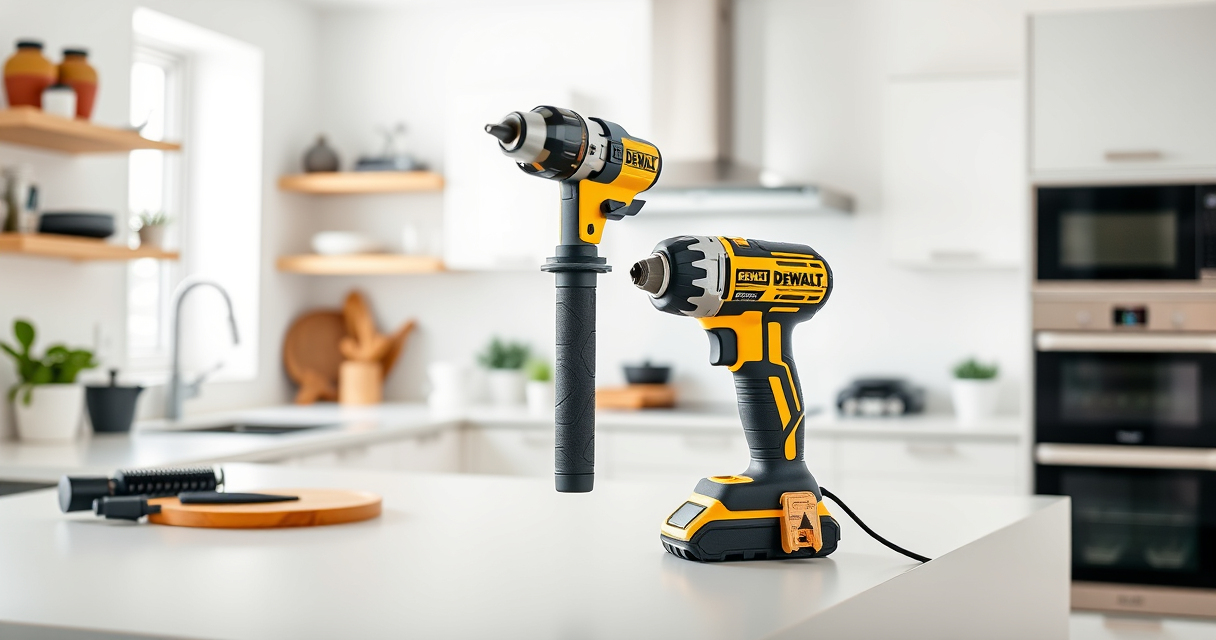
DEWALT 20V MAX Cordless Drill and Impact Driver
- ✔ Weight: 3.4 lbs
- ✔ Battery Capacity: 5 Ah
- ✔ Chuck Type: Hex quick-release

DEWALT Drill Bit Set
- ✔ Set Size: 14 pieces
- ✔ Tip Type: Split point
- ✔ Coating: Black & gold
DEWALT 20V MAX Cordless Drill and Impact Driver
The DEWALT 20V MAX Cordless Drill and Impact Driver (DCK277D2) offers excellent performance and durability. Proper troubleshooting and maintenance are key to preventing overheating issues and ensuring your tool operates safely and efficiently over time.
Pros:
- Lightweight and ergonomic design
- Bright LED for visibility
- Brushless motor for longer life
- Includes 2 batteries and charger
Cons:
- Can overheat with continuous use
- Ventilation may clog without regular cleaning
- Internal repairs require professional service
Best for: DIY enthusiasts and professionals needing reliable cordless power
Not ideal for: Extended continuous heavy-duty tasks without breaks
Bottom line: Routine maintenance and proper usage are essential to prevent overheating of your DEWALT cordless drill.
DEWALT Drill Bit Set
The DEWALT Drill Bit Set (ASIN B07DH55YRX) complements your drill perfectly, providing durable and reliable bits suitable for various materials. Using high-quality bits reduces strain on the motor and helps prevent overheating.
Pros:
- 14-piece set with various sizes
- High Speed Steel for durability
- 135° split point for precision
- Corrosion-resistant coating
Cons:
- Some bits may be too large for small projects
- Requires proper storage to prevent rust
- Not suitable for heavy industrial use
Best for: Home repairs, woodworking, and light metalwork
Not ideal for: Heavy-duty industrial drilling
Bottom line: Enhance your drilling projects with this durable, versatile bit set.
Frequently Asked Questions
What causes a DEWALT drill to overheat?
Overheating usually results from prolonged continuous use, poor ventilation, internal component wear, or using an incompatible or defective battery.
How can I prevent my DEWALT drill from overheating?
Limit continuous operation, ensure proper ventilation, regularly clean vents, replace worn brushes, and give the tool time to cool between uses.
Is it safe to disassemble my DEWALT drill to fix overheating?
Disassembling internal electronics is not recommended unless you are qualified. For internal repairs, contact professional service or DEWALT customer support.
Can using a different battery fix overheating issues?
Yes, using a fully charged, compatible battery like the DEWALT 20V MAX 5 Ah Lithium Ion Battery (ASIN B00KQU1ENG) can help if the original battery is faulty or causing excess heat.
How often should I clean the vents of my DEWALT drill?
Clean the vents every few uses or whenever you notice dust buildup, especially after working in dusty environments, to maintain proper airflow and cooling.
Ensuring Long-Lasting Power and Safety
Regular maintenance, proper operation techniques, and timely part replacements are key to preventing overheating in your DEWALT cordless tools. By following these troubleshooting steps, you can extend your tool’s lifespan and maintain optimal performance. Always prioritize safety and seek professional help if internal repairs are needed beyond basic cleaning and inspection.
Affiliate disclosure: As an Amazon Associate we earn from qualifying purchases. Prices and availability are accurate as of the time of publishing.
Halloween Picks
halloween
As an affiliate, we earn on qualifying purchases.